
Master the quick button sequence to clear your SoClean filter warning and ensure your CPAP sanitization routine stays on track.
Keeping your CPAP equipment clean is a fundamental part of maintaining your respiratory health and ensuring your sleep therapy remains effective. For many users, the SoClean automated cleaner has become an indispensable tool in this daily routine, simplifying the sanitization process. However, the system is designed with a specific maintenance schedule that requires regular attention to ensure it continues to function correctly. The most common maintenance task you will encounter is replacing the filter and check valve, a process that must be followed by a system reset to clear the internal timer.
Understanding the mechanics of your device is key to its longevity. The SoClean uses a cartridge filter to convert activated oxygen back into regular oxygen before it leaves the chamber. Over time, this filter becomes less effective, which is why the device is programmed to alert you every six months. If you have recently swapped out your components but find that the yellow warning light is still glowing, you are not alone. This guide provides the definitive steps for how to reset SoClean after a filter change, ensuring your device is ready for another half-year of reliable service.

Why the Reset Process is Necessary
The SoClean unit does not actually have a sensor that “reads” the physical state of the filter. Instead, it operates on a sophisticated internal countdown timer. This timer is calibrated to approximately 180 days, or roughly six months of daily use. When the clock runs out, the device triggers a yellow notification light on the front display to signal that the filter and check valve have reached the end of their lifespan.
Simply physically removing the old filter and dropping in a new one does not communicate with the internal computer. To tell the device that fresh components have been installed, you must manually perform a sequence of button presses. Failing to do this will result in the warning light staying active, which can lead to confusion about whether the device is actually running its cleaning cycle.
Step by Step Guide: How to Reset SoClean After a Filter Change
Performing the reset is a quick process, but it requires precise timing. Follow these steps to clear the “Check Filter” warning on your SoClean 2:
- Ensure the unit is plugged into a power source and that the new filter and check valve are already installed.
- Look at the display panel on the front of your SoClean.
- Locate the button marked with a manual icon or the “Manual” button, depending on your specific model version.
- Press and hold both the Manual button and the Bell (Mute) button simultaneously.
- Continue holding these two buttons for approximately 5 to 10 seconds.
- Watch the screen for a message that indicates “Clearing” or for the yellow light to turn off and be replaced by a green light.
- Once the display returns to the standard time or the green light appears, you can release the buttons.
If the yellow light persists after this attempt, unplug the unit for 30 seconds to allow the internal capacitors to discharge, then plug it back in and repeat the button sequence.
Choosing the Right Replacement Parts
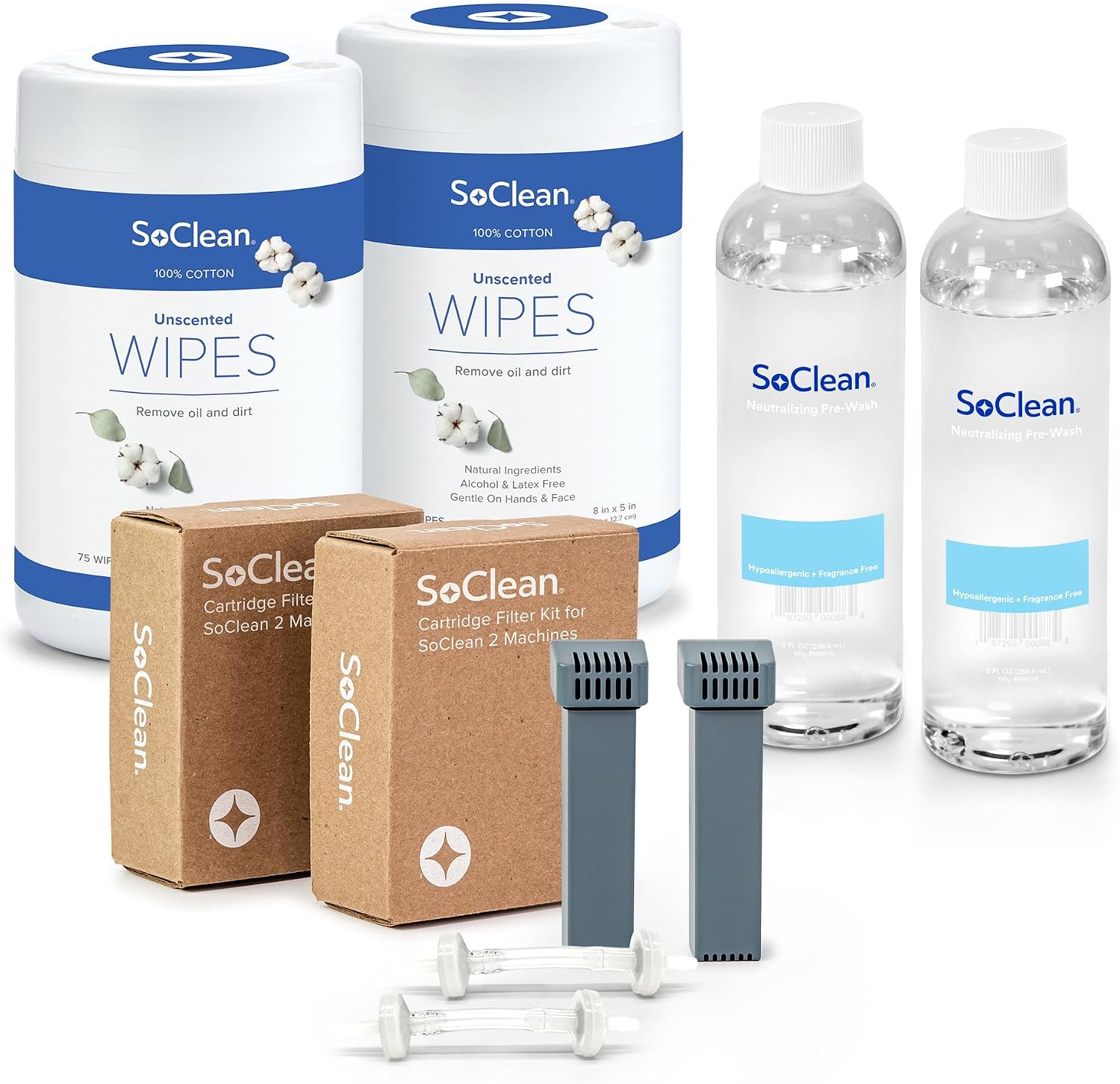
When it is time for your six-month maintenance, quality matters. Using generic or knock-off filters can sometimes lead to fitment issues or a lingering odor of ozone. To maintain the integrity of your warranty and ensure the best air quality, many users prefer the official SoClean 2 Replacement Filter Kit. This kit includes the essential cartridge filter and the replacement check valve.
For the most reliable results, we recommend the authentic SoClean 2 Replacement Filter Kit, which ensures a perfect seal and optimal activated oxygen conversion.
 |
| Buy it on Amazon |
Beyond the filter, the check valve is arguably the most critical component. It prevents water from your CPAP humidifier from backing up into the SoClean electronics. Always replace both at the same time to avoid equipment failure.
Troubleshooting Common Reset Issues
Sometimes, the standard button combination does not seem to register. This is often due to the buttons not being pressed at exactly the same time. The internal software looks for a simultaneous signal; if you press the Manual button a fraction of a second before the Bell button, the device may simply try to start a manual cleaning cycle instead of entering reset mode.
If you find that your device is starting a cycle (indicated by a cycle timer appearing on the screen) instead of resetting, press the Manual button again to stop the cycle. Wait for the screen to go back to the home display, and try the simultaneous press again with a firmer, flat-fingered approach to hit both buttons at once.
Maintaining Your CPAP Setup Beyond the SoClean
While the SoClean handles the heavy lifting of sanitizing your mask and hose, it is still a good idea to perform occasional deep cleans of your CPAP water chamber. Buildup of minerals from distilled water can occur over time. Using a dedicated CPAP pre-wash or a mild, scent-free soap can help keep the plastic components clear and free of film.
To keep your mask cushion soft and extend its life between sanitizing cycles, consider using high-quality CPAP Mask Wipes for a quick daily refresh.
 |
| Buy it on Amazon |
Integrating these small steps into your morning routine ensures that when you head to bed at night, your equipment is not only sanitized but also physically clean and comfortable against your skin.
Setting Reminders for Future Maintenance
Since the SoClean reset happens only twice a year, it is easy to forget the steps. Many users find it helpful to write the date of the filter change on a small piece of masking tape and stick it to the bottom of the SoClean unit. Alternatively, you can set a recurring reminder on your smartphone for six months from today.
Consistency is the most important factor in sleep apnea therapy. By knowing how to reset SoClean after a filter change, you remove the hurdle of technical frustration and ensure that your focus remains where it should be: on getting a restful, healthy night of sleep.
The Final Word on Device Care
The SoClean is a robust piece of technology, but like any medical-adjacent device, it thrives on regular maintenance. Replacing the filter kit is the single most important thing you can do to protect the internal components of the machine and the health of your lungs. Once you have mastered the reset button combination, the entire maintenance process takes less than two minutes from start to finish.
If you are looking to stock up on supplies for the year, the SoClean 2 Maintenance Bundle offers excellent value and ensures you always have a filter ready when that yellow light appears.
Keep your manual handy or bookmark this guide so that the next time your device signals for a change, you can handle the reset with confidence and get back to your routine without a second thought.